

Remote work has unlocked new levels of flexibility for organizations—but it has also introduced one of the biggest challenges modern teams face: communication.
When your team is no longer in the same room, simple interactions become more complex. Quick questions turn into scheduled calls, body language becomes harder to read, and misunderstandings happen more easily.
The good news? With the right strategies and tools, remote communication can be just as effective—if not more effective—than in-person collaboration.
Why Remote Communication Is So Challenging
In a traditional office, communication happens naturally. Employees can stop by a desk, read facial expressions, or jump into spontaneous conversations.
Remote work removes these natural interactions.
Common challenges include:
-
Lack of non-verbal cues
-
Delayed responses across time zones
-
Meeting fatigue from too many calls
-
Unclear expectations and miscommunication
-
Remote employees feeling isolated or disconnected
Without intentional communication strategies, these issues can quickly impact productivity and team morale.
6 Ways to Improve Communication With Remote Teams
Studies show that face-to-face conversations are up to 34% more effective than written communication for complex topics. For remote teams, video bridges that gap.
1. Make Video the Default for Important Conversations
Not all communication should happen over chat or email.
For discussions that involve:
-
Decision-making
-
Brainstorming
-
Feedback
-
Sensitive topics
Video communication is far more effective.
Seeing facial expressions and body language helps reduce misunderstandings and builds stronger team relationships.
2. Set Clear Communication Guidelines
Remote teams work best when everyone knows:
-
Which tools to use (Slack, email, video calls)
-
Expected response times
-
When to use synchronous vs asynchronous communication
For example:
-
Quick updates → chat
-
Detailed discussions → video meetings
-
Formal communication → email
Clarity reduces confusion and improves efficiency.
3. Run More Structured Meetings
Remote meetings can easily become unproductive without structure.
To improve meeting effectiveness:
-
Set a clear agenda
-
Define goals for each meeting
-
Assign a facilitator
-
Summarize next steps
Structured meetings help keep remote teams aligned and focused.
4. Prioritize Inclusion in Hybrid Meetings
Without the right setup, hybrid meetings can unintentionally create a “two-tier” experience—those in the room dominate the conversation, while remote participants struggle to stay engaged. This is where smarter technology comes in.
Without the right setup:
-
Remote participants may struggle to see who is speaking
-
Side conversations can exclude remote team members
-
Engagement levels drop
Creating an inclusive experience requires both intentional facilitation and better technology.
5. Invest in Better Video Communication Tools
Technology plays a critical role in enabling effective remote communication.
Basic webcams and static conference cameras often fall short in hybrid environments.
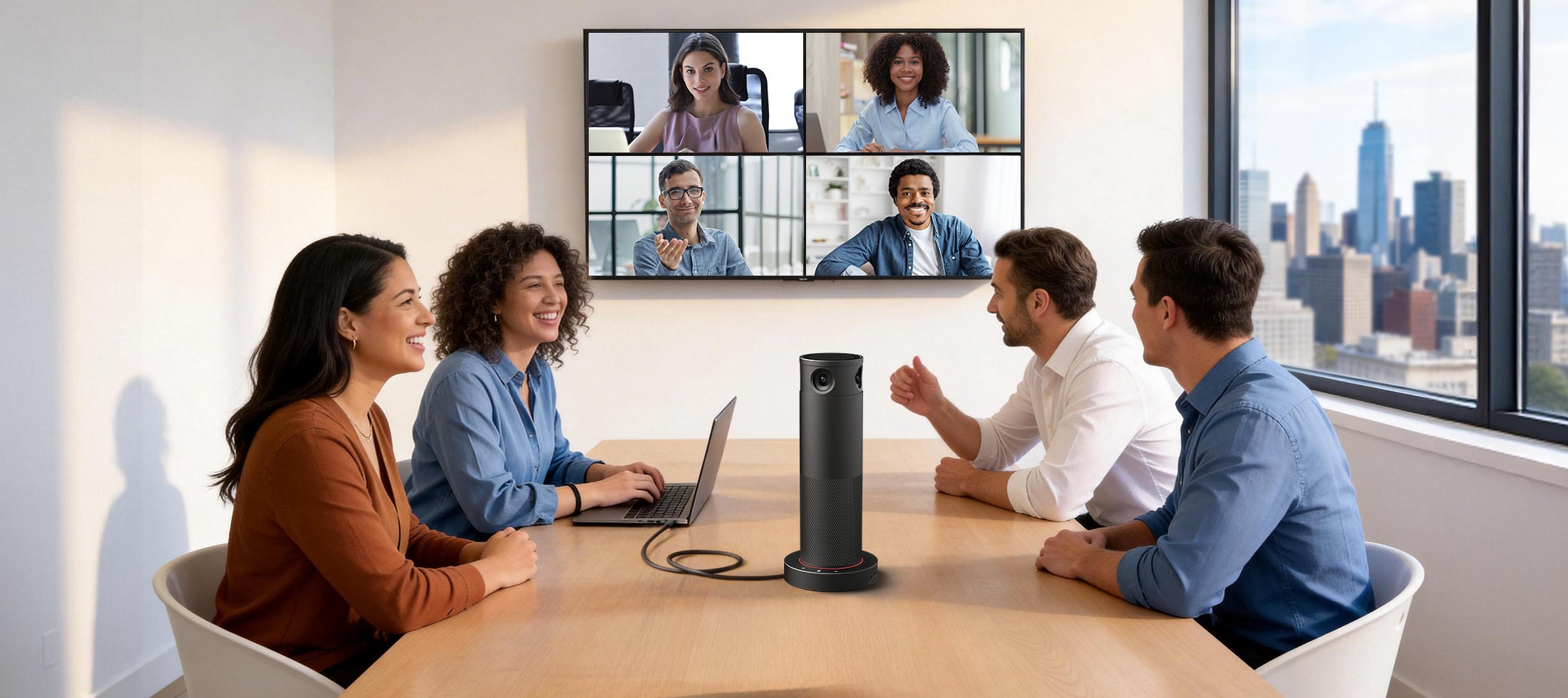
Modern solutions—like Rocware’s upcoming RC360 AI conference camera launching in late April—are designed to bridge this gap. Designed for small meeting rooms and hybrid spaces the RC360 helps create a more inclusive experience for remote participants.
The RC360 was built specifically to solve the inclusion problem in hybrid meetings:
-
360° room coverage means remote participants can see everyone in the room—not just the person sitting closest to the camera.
-
AI-powered speaker tracking follows the conversation naturally, so remote attendees never miss who’s speaking.
-
4K ultra-HD video ensures subtle facial expressions and non-verbal cues come through clearly, reducing misunderstandings.
-
Plug-and-play USB connectivity allows users to start meetings instantly with their laptop
Teams can create a more natural and inclusive communication experience for remote participants.
6. Build Connection Beyond Work Conversations
One of the biggest risks of remote work is losing the human connection that naturally exists in an office.
To maintain strong team relationships:
-
Schedule informal check-ins
-
Encourage casual conversations
-
Create virtual team-building moments
Strong relationships lead to better communication, collaboration, and trust.
The Role of Video in Remote Communication
Video communication has become the foundation of remote work—and for good reason.
It allows teams to:
-
Communicate more clearly
-
Build stronger relationships
-
Collaborate in real time
-
Reduce misunderstandings
But not all video setups are created equal.
Poor video quality, limited camera angles, and lack of visibility can create friction instead of improving communication.
That’s why organizations are investing in AI-powered video solutions that make remote collaboration feel more natural and engaging.
What Effective Remote Communication Looks Like
Teams that communicate well remotely tend to share a few key characteristics:
-
Clear expectations and communication norms
-
Consistent use of video for important conversations
-
Inclusive hybrid meeting environments
-
Strong team culture and trust
When these elements come together, remote teams can operate with the same level of alignment and productivity as in-office teams.
Final Thoughts
Effective communication is no longer about being in the same room—it’s about creating an experience where everyone, no matter where they are, can fully participate.
Ready to improve your hybrid meeting experience?
Contact Rocware for a live demo.

Share:
RM702 Change Notice
Eliminating Meeting Room Friction: A Practical Guide for IT Teams